For lawyers and legal teams
AI for lawyers: drafts and research leads you can check
ZeroTwo puts 60+ models in one workspace for first-pass drafting, contract issue-spotting, case summaries and research leads. It does not replace reading the authority or your judgment. This page shows where it fits, what to verify, and what to settle before you upload a client file.
Published by ZeroTwo, the product discussed here. General information, not legal advice.
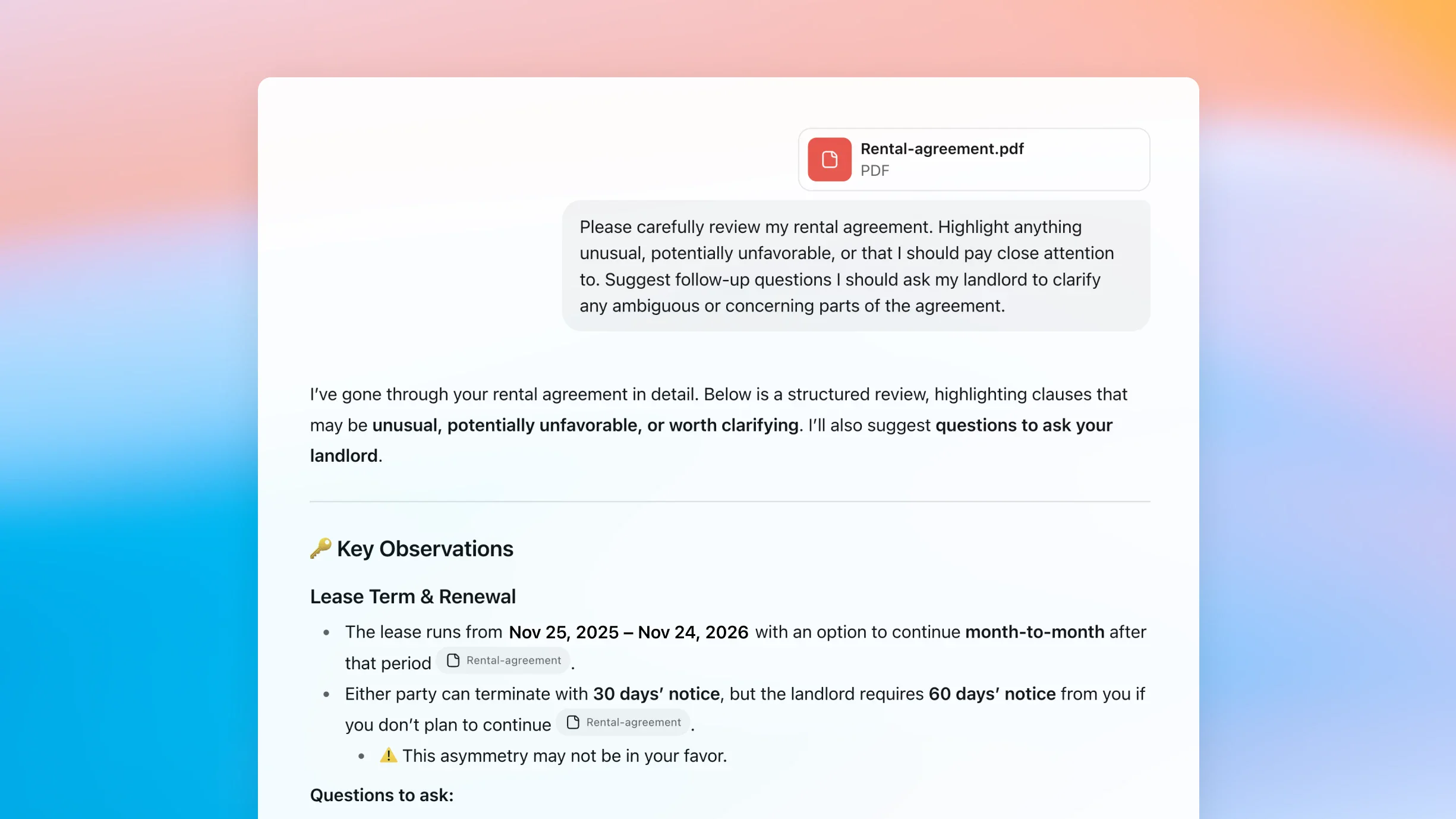
Where it earns its place, and where it stops
The useful framing is delegation: some work is cheap to check and slow to start from a blank page. Other work is the reason a lawyer is on the matter.
Reasonable to hand off for a first pass
- An issues list for a contract that you then read in full
- A summary of a long case file or deposition that you then spot-check against the pages
- An outline and first draft of a memo or client letter
- Plain-language restatements of dense clauses
- Candidate search terms and research angles to run in your own database
Keep with the lawyer
- Confirming that each cited authority exists, says what is claimed, and is still good law
- Jurisdiction-specific rules, deadlines and local practice
- Deciding which client material may be uploaded at all
- Privilege, conflicts, strategy and risk tolerance
- Signing off on anything that leaves the firm
Task by task: what the model does, what you verify
We have not tested these tasks head to head, so this table ranks nothing. It sets out the division of labour and the review level we think each task needs.
| Legal task | What ZeroTwo can do | What you verify | Review level |
|---|---|---|---|
| Contract review and draftingSee the redline brief workflow | Draft or restate clauses, flag terms worth a closer read, and suggest alternative wording for you to evaluate. | Read the whole contract. Check defined terms, cross-references, governing law and your client's negotiating position. | Line-by-line review |
| Legal researchHow deep research works | Propose search terms and surface candidate authorities with source links through web search and deep research. | Open every source. Confirm the quotation, holding, court and date, then confirm current status in your citator or the court's own site. | Every authority |
| Case summarizationSummarizing uploaded documents | Condense an uploaded case file, deposition or brief into facts, issues and holdings. | Spot-check the summary against the pages and read the dispositive passages yourself. | Spot-check plus key passages |
| Memos and client lettersCanvas for long documents | Outline and draft long-form text in Canvas, where you can edit iteratively alongside the model. | Facts, jurisdiction, tone, and whether the advice fits this client. The model does not know your matter. | Full edit |
| Compliance reviewCompare models for research | Turn a document you supply into a checklist of questions to put to the current rule text. | Pull the current rule from the regulator or other primary source, and decide whether it applies. Treat the output as a question list, never a conclusion. | Question list only |
Editorial guidance from ZeroTwo, not a measured result. Capability descriptions refer to features listed on the linked pages.
A research routine that keeps the lawyer in the loop
We have not published a reviewed research example, so instead of showing you a polished result, here is the routine we would want applied to any AI-assisted research, and a prompt template to start it.
Fix the frame
Put the jurisdiction, court level, date range and the exact legal question in the prompt, not in your head.
Ask for sources, not conclusions
Require a full citation, the exact sentence relied on in quotation marks, and a link for each proposition. Mark anything unsourced as UNVERIFIED.
Open every source yourself
Use the official or primary database. Confirm the authority exists, the quotation matches, and the court and date are right.
Check current status separately
A model's statement that a case is good law is not evidence. Use your citator or the court's own site.
Record the gaps
Note what the model could not find, where the law is unsettled, and which jurisdictions you did not cover.
Sign off
A lawyer reviews and approves before anything leaves the firm, and keeps the research trail in the matter file.
Prompt template (not an output)
Jurisdiction: [state or court level]. Period: [date range].
Question: [one-sentence legal question].
List candidate authorities. For each, give the full citation, the exact sentence you rely on in quotation marks, and a link to the source.
Mark anything you cannot source as UNVERIFIED. Do not invent citations.
Replace the bracketed placeholders. A model's own confidence statement is not verification; step three is still yours.
Settle data handling before you upload a client file
Confidentiality is the first question a firm should ask, so it comes before the pricing. Below is what ZeroTwo's own Privacy Notice says, in brief, and a suggested order of operations.
What the Privacy Notice says
- Using an AI feature may send your content to the model provider you select.
- Most providers process submitted content to return a response; some may retain or use it under their own terms or privacy notices.
- You are responsible for having permission to upload personal, confidential or regulated information.
- ZeroTwo shows provider-specific disclosures in the product where applicable; review them before using a model for sensitive work.
Read the full text in the Privacy Notice and the Terms.
A sensible order of operations
- Test on public or invented text first.
- Read the provider disclosure for the model you plan to use.
- Check your firm's policy and your client's consent.
- Only then upload client material, and no more than the task needs.
Not claimed on this page: privilege protection, any compliance certification, zero data retention, or coverage of any particular jurisdiction's law.
Compare providers on the same prompt
60+ models means you can run one non-confidential prompt through several providers and compare drafting style and how each handles sources. We do not name a winner for legal work.
Browse the model list, or compare models for writing and research.
- OpenAI
- Anthropic
- xAI
- Mistral
- Perplexity
- DeepSeek
- Cohere
- Qwen
- Groq
Start on Free, move up when you need more
Plan details come from our pricing catalog. See pricing or how it compares with other AI subscriptions.
Free
$0/mo
No card required
- 100 free credits to start
- +20 bonus credits every day you log in
- 1 file upload per message
- Limited model selection
- Limited image generations
- Limited projects
- Limited tool selection
- Limited memories
- Serper web search
Plus
$14.99/mo
- 1,000 free Auto requests / month
- 1,650 monthly credits
- +20 bonus credits every day you log in
- Unlimited fast models in chat
- Image and video generation
- Memory unlocked
- Multiple file uploads per task
- Access to Work and Code agents
- Access to deep research
- Exa web search
Pro
$29.99/mo
$26.99/mo billed annually
- 2,500 free Auto requests / month
- 3,500 monthly credits
- +30 bonus credits every day you log in
- Better unlimited chat model selection
- Expanded memory
- Unlimited projects
- Access to Work and Code agents
- Access to Bots
- 30 free Basic cloud computer hours / month
- 1,500 Firecrawl credits / month
- 10,000 ElevenLabs credits / month
Questions lawyers ask first
Is AI-generated legal content reliable?
Treat it as a draft or a lead, not an authority. Models can state a citation, quotation or holding that does not exist or that says something different, and they can miss jurisdiction-specific rules. Every authority has to be opened and read in a primary source, checked for current status, and the work product reviewed and signed off by a lawyer.
Can I upload client documents?
That is a decision for you and your firm before it is a product question. ZeroTwo's Privacy Notice says that using AI features may send your content to the model provider you select, that some providers may retain or use submitted data under their own terms, and that you are responsible for having permission to upload confidential or regulated information. Read the Privacy Notice and the provider disclosures shown in the app, follow your firm's policy and your client's consent, and test with non-confidential text first.
Does ZeroTwo verify citations or check whether a case is still good law?
This page does not claim that it does. ZeroTwo has web search and deep research features that can return source links for you to open, but we have not published a verified authority-checking workflow and we do not describe any jurisdiction's coverage. Use your own citator, or the court's or legislature's official source, to confirm each authority.
Which AI model is best for legal work?
We do not rank models for legal work, because we have not published a matched test that would support a ranking. ZeroTwo lets you run the same prompt across providers, which is a practical way to see which one drafts in the style you want on non-confidential sample text. Models change over time, so repeat the comparison occasionally.
Can AI help with contract review?
It can produce a first-pass issues list: clauses to read, terms that look unusual, and questions to ask. It cannot know your client's risk tolerance or negotiating position, and it can miss or misread a clause, so review the full contract yourself.
Is it free to try?
ZeroTwo has a Free plan with 100 free credits to start, +20 bonus credits every day you log in and a limited model selection; no card is required. Plus is $14.99/month and Pro is $29.99/month ($26.99/month billed annually).
Related reading
- Contract redline briefA bounded contract task, kept separate from this suitability guide.
- Real estate contract reviewContract review in a property-transaction context.
- Deep researchMulti-step research that returns source links to open.
- PDF summarizerSummarize long uploaded documents, then check the pages.
- AI for consultantsAnother supervised-professional workflow on the same models.