
The cheapest AI tool is not the plan with the smallest number on its pricing page. It is the one that completes a useful workflow without forcing you to buy two more subscriptions, redo unreliable work, or spend hours moving files between products.
Last tested and price-checked: August 30, 2026. Prices below are public US prices where the vendor publishes them. Regional prices, taxes, promotions, included credits, model access, and usage limits can change. We link to first-party plan pages and avoid claiming a fixed limit when the vendor describes it as variable.
The practical shortlist
| Need | Lowest sensible starting point | Price checked | Why it can be good value |
|---|---|---|---|
| Occasional general AI | ChatGPT Free, Claude Free, or Perplexity Standard | $0 | Enough to test a real workflow before paying |
| Multi-model client work | ZeroTwo Plus | $14.99/month | Models, files, research, images, and deliverables in one workspace |
| Broad single-provider assistant | ChatGPT Plus | $20/month | General chat plus files, analysis, images, and research features |
| Long documents and code | Claude Pro | $20/month | Higher capacity than Free for sustained work |
| IDE completion and coding agents | GitHub Copilot Pro | $10/month | Paid individual plan with completion, chat, and agent access |
| Controlled local workflow | A local open model | Software may be free | Privacy and infrastructure control, if you already own and manage the hardware |
Free plans are the right first step when your use is light. A paid plan becomes economical only when the saved review time and completed output are worth more than the fee.
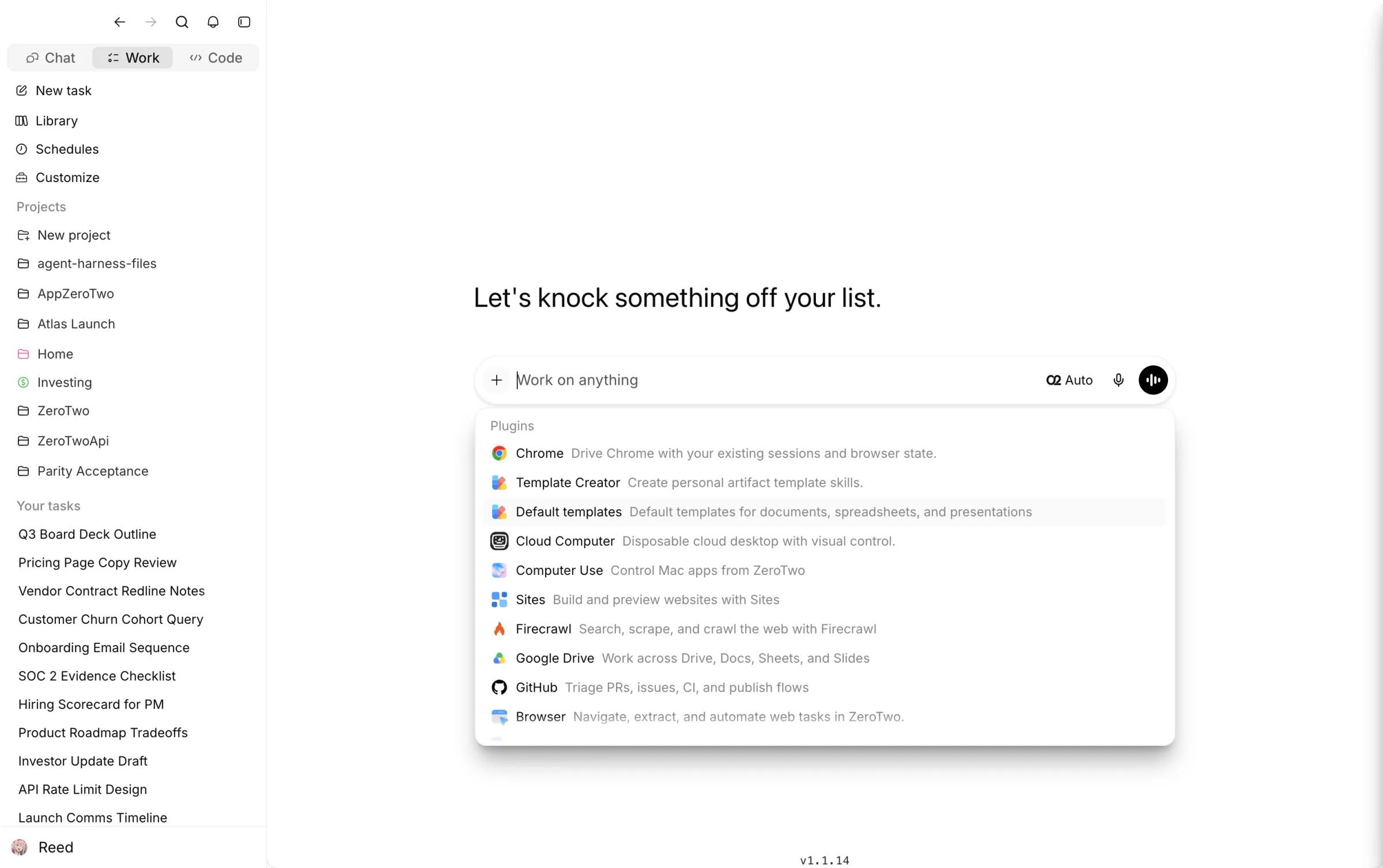
This is a first-party product screenshot. It supports the description of the ZeroTwo workflow, not a claim that every included model is unlimited or equally capable.
How to compare value without guessing
Use one representative week of work. For each tool, record subscription cost, additional usage charges, setup time, failed runs, review time, and whether the final output was accepted.
Run these repeatable tasks:
- Research: “Find five first-party sources about a current market change. Return publisher, title, date, URL, and one sentence the source directly supports.”
- Document: Upload a PDF and ask for a page-cited action register with owner, due date, and ambiguity flags.
- Data: Upload a CSV and ask for the calculation method, three anomalies, and a client-ready summary that does not claim causation.
- Delivery: Ask for a one-page memo with a recommendation, evidence, limitations, and an explicit approval question.
Score each workflow on evidence accuracy, manual corrections, time to approval, and export quality. A tool that saves $5 but adds an hour of checking is not cheaper for a consultant or owner-operator.
Best free options
ChatGPT, Claude, Perplexity, Gemini Code Assist for individuals, and several image tools offer free access with limits. Free tiers work well for learning, occasional drafting, or testing whether a product fits your source and file workflow.
The tradeoff is capacity and predictability. Vendors may restrict premium models, file uploads, advanced research, or peak-time access. Never build a client deadline around an assumed free allowance. Verify the current terms on the vendor’s page and keep a manual fallback for the deliverable.
Best low-cost coding plan: GitHub Copilot Pro
GitHub lists Copilot Free at $0 and Copilot Pro at $10 per month for individuals. The paid plan includes unlimited code completion and next-edit suggestions, while chat and agent activity use included AI credits under GitHub’s current billing model. See GitHub Copilot plans and GitHub’s billing documentation.
It is good value when the work happens inside a supported editor and the primary need is code completion, review, and agent assistance. It is not a replacement for repository tests, security review, or a general research and document workspace.
Best affordable multi-model workspace: ZeroTwo Plus
ZeroTwo Plus is $14.99 per month. Pro is $29.99 per month for higher capacity. The product combines multiple model providers with files, research, image generation, document work, and project context. See the current allowances on ZeroTwo pricing.
The value case is consolidation. If an agency uses separate products for web research, long-document work, images, and client drafting, one shared workspace can reduce subscription sprawl and handoff time.
The limitation is usage accounting: model and task costs differ, and a multi-model catalog does not mean every premium action is unlimited. The approval gate should include the selected model, sources, calculated results, and final exported file.
When a $20 specialist is cheaper
OpenAI lists ChatGPT Plus at $20 per month in the US. Anthropic lists Claude Pro at $20 per month in the US. Either can be cheaper than a broader platform when one provider handles nearly all of your recurring work and you do not need model switching.
Choose ChatGPT Plus for a broad mix of general tasks and multimodal tools. Choose Claude Pro when long documents, sustained drafting, or code are the recurring center of the work. Review ChatGPT pricing and Claude Pro pricing before purchase.
The wrong way to compare them is “messages per dollar” from an old review. Limits vary with models, task size, and product changes. The right comparison is accepted deliverables per month.
Local models: no subscription does not mean no cost
Running an open model locally can protect sensitive data and avoid a recurring SaaS plan. It can also require capable hardware, storage, model updates, security controls, backup, and technical support. Electricity and operator time are real costs.
Local is economical when privacy or repeatability justifies ownership and someone is responsible for the system. It is usually not the cheapest first step for a nontechnical small business.
A simple buying rule
Calculate:
monthly tool cost + extra usage + review hours × hourly value + switching cost
Then divide by the number of approved outputs. Use the result to compare tools on cost per accepted deliverable.
For a consultant billing $150 per hour, saving twelve minutes of rework is worth $30. That can matter more than a $5 difference between plans. For an occasional user, a free tier may remain the best value indefinitely.
ZeroTwo recommendation
Start free and run the four tests above. Move to ZeroTwo Plus when you repeatedly need multiple models or want the evidence, files, drafts, and approvals for one assignment in the same workspace. Subscribe directly to a specialist when its distinctive workflow is the only thing you need.
No product should be recommended because it has the longest model list. Recommend it because a buyer can inspect the process, verify the output, and finish real work at a predictable total cost.
Sources and update policy
- GitHub Copilot plans
- GitHub Copilot billing
- OpenAI ChatGPT pricing
- Anthropic Claude Pro pricing
- Perplexity plan guide
- Gemini Code Assist pricing
- ZeroTwo pricing
If a vendor page and this article disagree, use the vendor page. We remove price and limit claims that cannot be reverified.