
15 million images are generated by AI every single day. That's more visuals produced in 24 hours than professional photographers created throughout the entire 19th century. And here's what's wild — most of those images are made by people with zero design experience.
If you've been paying a freelance designer $50-200 per image for blog posts, social media, or product mockups, you're overspending on a problem that AI solved two years ago. Learning how to create images with AI isn't a nice-to-have skill anymore — it's a competitive baseline for anyone bringing visual ideas to life at speed.
This guide breaks down exactly how AI image generation works, which tools to use, how to write prompts that produce high quality, professional results, and where these images actually fit into your workflow — from marketing campaigns to product design.
Key Takeaways
- AI image generation turns text descriptions into visuals using diffusion models or transformer architectures — no design skills required
- The quality of your output depends almost entirely on how you write your prompt (structure, specificity, and style references matter more than which tool you pick)
- Best free options: Bing Image Creator, Leonardo AI free tier. Best paid: Midjourney, DALL-E 3, Stable Diffusion
- Use cases span marketing graphics, social media content, product mockups, presentations, and rapid prototyping
- Platforms like ZeroTwo bundle image generation with chat, web search, and document analysis — eliminating the need for 3-4 separate subscriptions
What Is AI Image Generation?
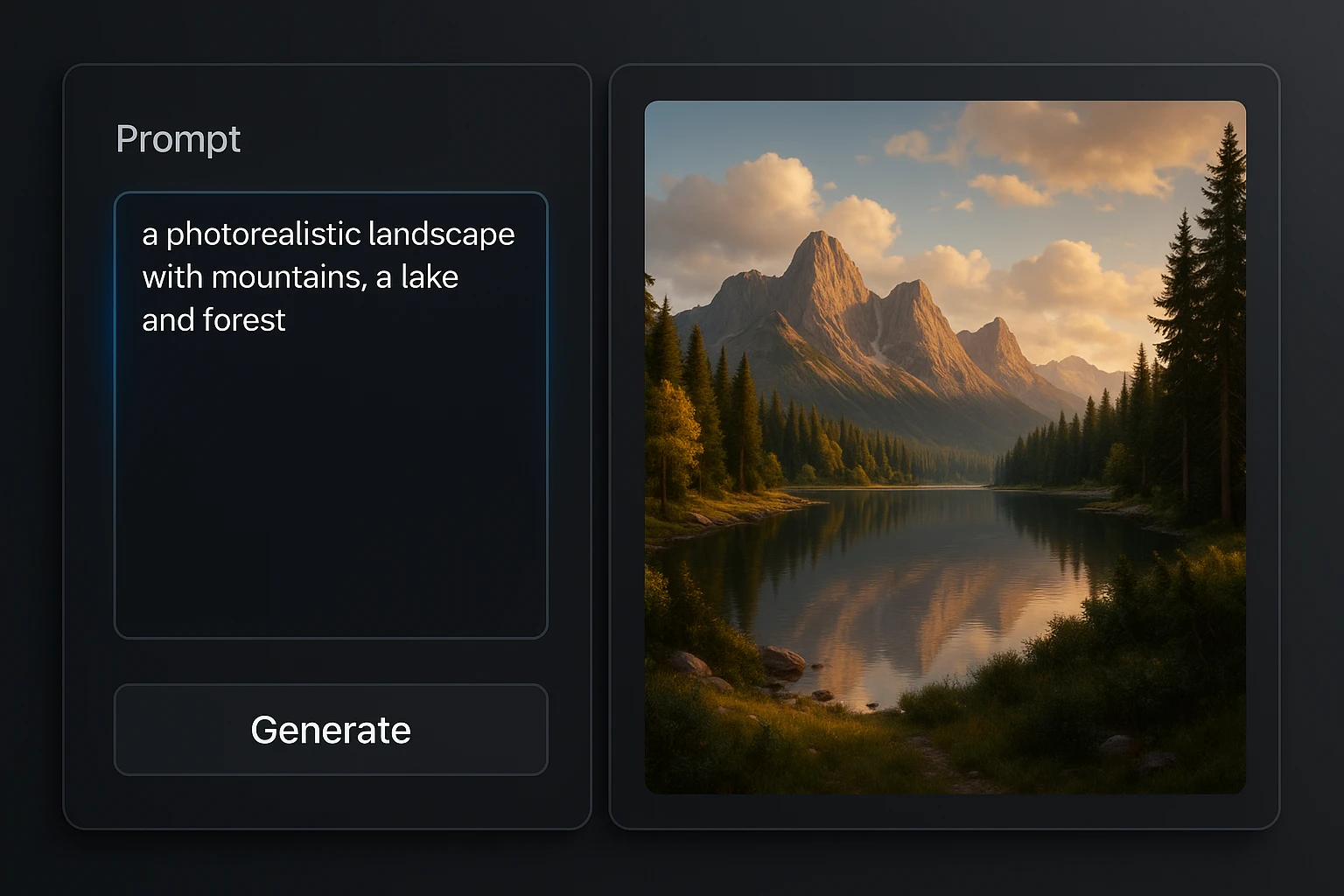
AI image generation is the process of creating visual content from text descriptions (called prompts) using machine learning models. Instead of manually designing in Photoshop or hiring an illustrator, you describe what you want in plain English and the AI produces it in seconds.
The two dominant approaches:
- Diffusion models (used by Midjourney, DALL-E 3, Stable Diffusion) — start with random noise and gradually refine it into a coherent image based on your prompt
- Transformer-based models (used by newer architectures) — generate images by predicting visual tokens, similar to how GPT predicts text
The practical difference for you? Almost none. What matters is the quality of your prompt and the model's training data — not the underlying architecture.
How to Create Images with AI: Step-by-Step
Step 1: Choose Your Tool
Your first decision is which platform to use. Here's a comparison of the major options in 2025:
| Tool | Best For | Price | Image Quality | Ease of Use |
|---|---|---|---|---|
| Midjourney | Artistic/creative visuals | $10/mo | Excellent | Moderate (Discord-based) |
| DALL-E 3 (via ChatGPT) | Realistic images, text rendering | $20/mo (ChatGPT Plus) | Very Good | Easy |
| Stable Diffusion | Full control, local generation | Free (open source) | Good to Excellent | Hard (requires setup) |
| Leonardo AI | Game assets, character design | Free tier / $12/mo | Very Good | Easy |
| Bing Image Creator | Casual use, free access | Free | Good | Very Easy |
| Adobe Firefly | Commercial-safe images | $4.99/mo | Good | Easy |
The real cost problem: If you're already paying for ChatGPT Plus ($20/mo) for writing, adding Midjourney ($10/mo) for images, plus Perplexity ($20/mo) for research, you're at $50+/mo across three separate platforms. Tools like ZeroTwo solve this by bundling image generation alongside chat, web search, code, and document analysis — access to multiple frontier models through one subscription instead of juggling four.
Step 2: Write an Effective Prompt
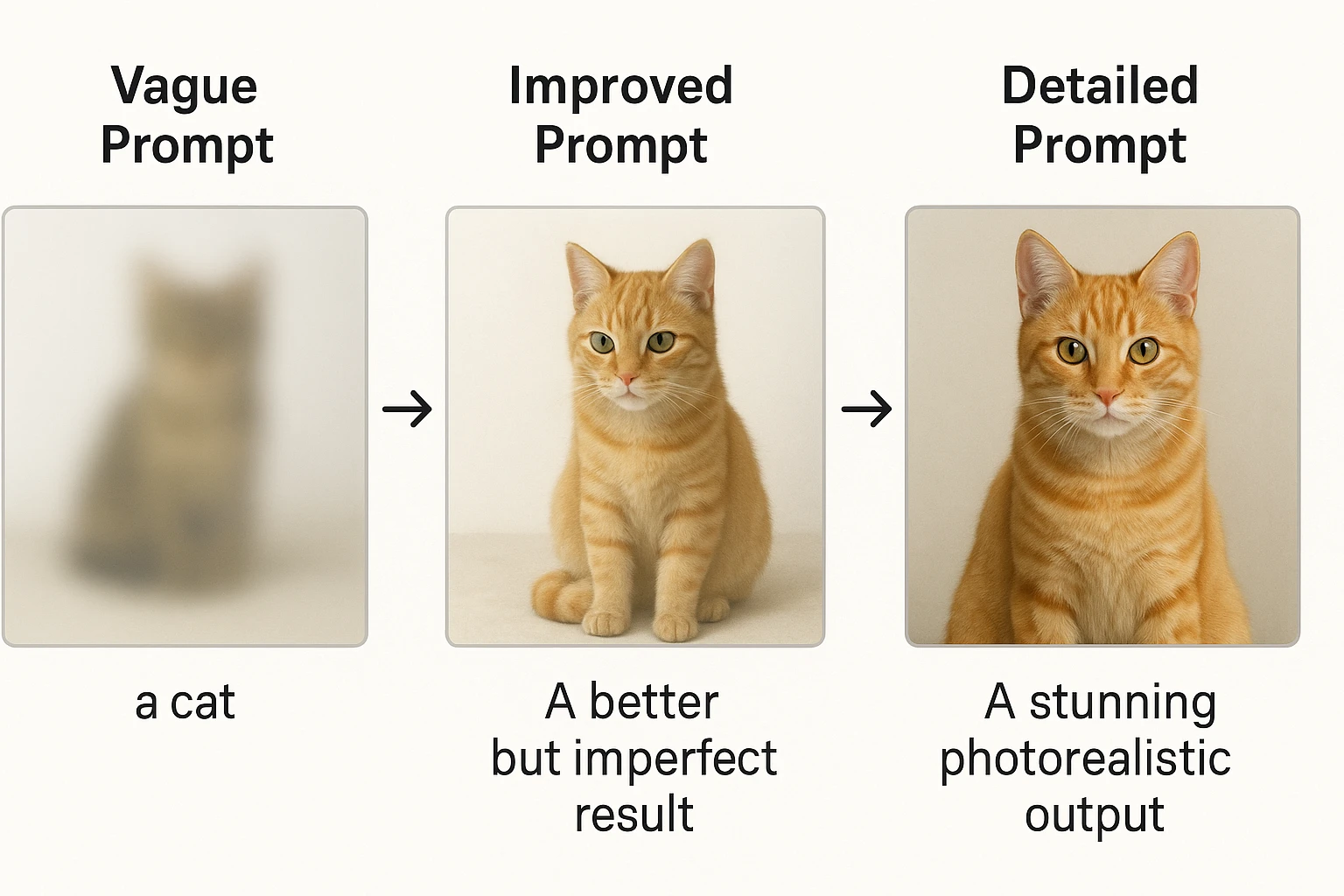
This is where 90% of image quality is determined. A vague prompt produces a vague image. Here's the formula:
The Prompt Structure That Works:
[Subject] + [Action/Pose] + [Setting/Background] + [Style] + [Lighting] + [Camera/Perspective] + [Quality Modifiers]
Bad prompt:
A dog in a park
Good prompt:
A golden retriever running through a sunlit meadow, wildflowers in the foreground, soft bokeh background, golden hour lighting, shot from a low angle, photorealistic, 8K detail, shallow depth of field
The difference between these two prompts is the difference between a stock photo reject and a hero image for your homepage.
Step 3: Use Style References and Modifiers
Style keywords dramatically change your output. Here are the most useful categories:
Photography styles:
- Photorealistic, cinematic, editorial photography, portrait photography
- Studio lighting, natural lighting, golden hour, dramatic shadows
Illustration styles:
- Flat design, isometric, watercolor, digital painting
- Vector illustration, line art, pixel art, concept art
Artistic movements:
- Minimalist, art deco, brutalist, vaporwave
- Art nouveau, impressionist, cyberpunk, steampunk
Quality modifiers:
- 8K, ultra-detailed, high resolution, sharp focus
- Professional, award-winning, trending on Artstation
Step 4: Iterate and Refine
Your first generation is a starting point, not a final product. Use these techniques to dial in your results:
- Vary one element at a time — change just the lighting or just the camera angle
- Use negative prompts (where supported) — tell the AI what to exclude ("no text, no watermarks, no distortion")
- Adjust aspect ratios — 16:9 for banners, 1:1 for social media, 9:16 for stories
- Upscale selectively — generate at lower resolution first, then upscale your best result
- Blend concepts — combine unexpected style references ("product photography meets Studio Ghibli aesthetic")
Advanced Prompting Techniques
The Weighted Keyword Method
Most tools let you emphasize or de-emphasize specific elements. In Midjourney, you use :: followed by a weight number:
vibrant sunset::2 over a calm ocean::1 with a small sailboat::0.5
This tells the model to prioritize the sunset, give normal attention to the ocean, and make the sailboat a subtle element.
The Reference Image Approach
Instead of describing everything from scratch, use reference images:
- Upload an existing image you like
- Ask the AI to generate something "in the style of" that reference
- Combine reference images with text prompts for maximum control
This works especially well for brand consistency — upload your existing marketing materials and generate new visuals that match the established look.
The Negative Space Technique
Explicitly state what you don't want:
Minimalist product photo of a white coffee mug on a marble surface,
soft natural lighting, no text, no logos, no people, no clutter,
clean background, commercial photography style
Negative instructions are just as important as positive ones. They prevent the AI from adding distracting elements that would require post-editing.
Real-World Use Cases for AI-Generated Images
Marketing and Advertising
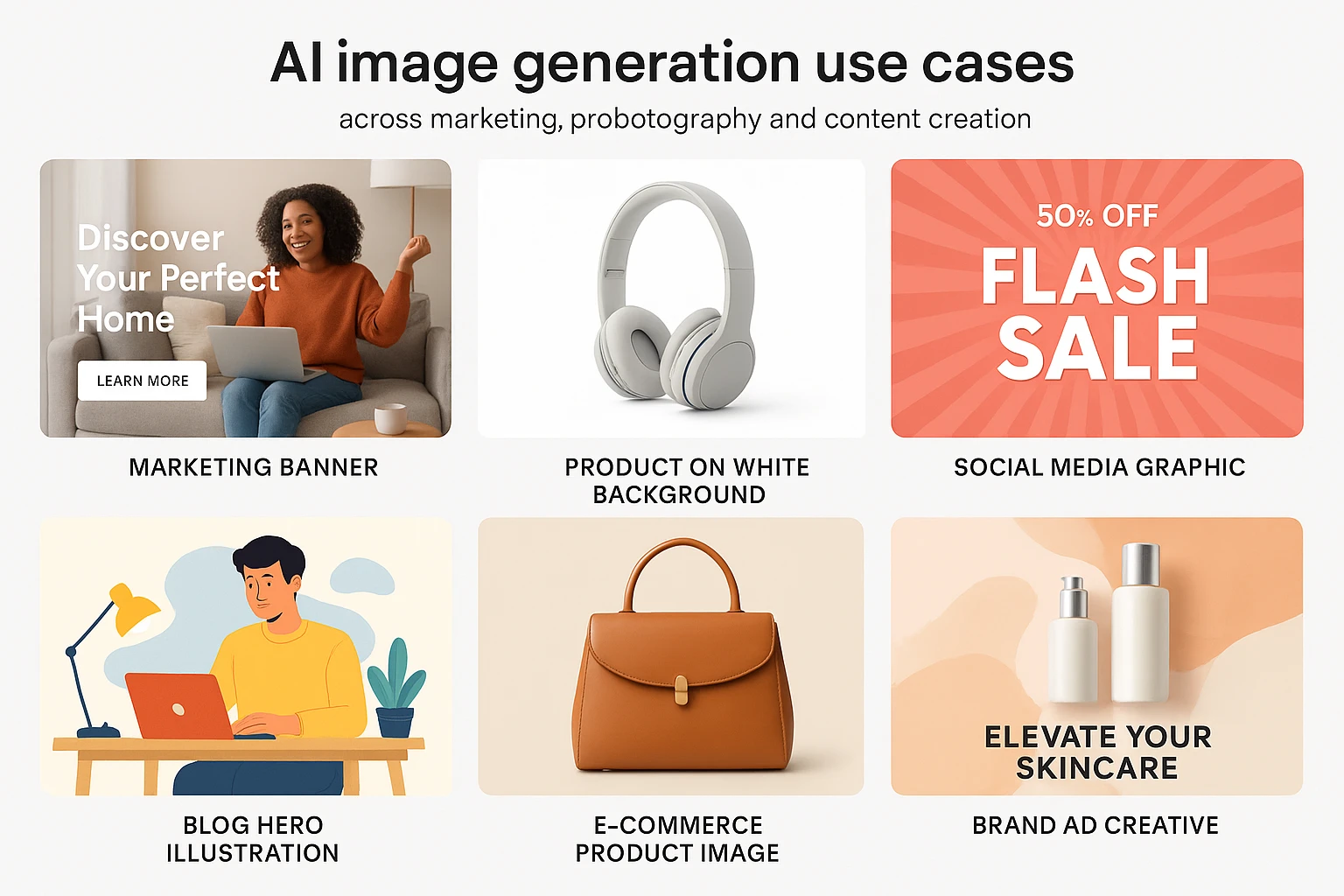
- Social media posts — Generate scroll-stopping visuals for Instagram, LinkedIn, and Twitter without a photoshoot
- Blog hero images — Create unique featured images instead of recycling the same stock photos as everyone else
- Ad creatives — Produce dozens of variations for A/B testing in minutes, not weeks
- Email headers — Design on-brand visuals for newsletters and campaigns
Product and E-Commerce
- Product mockups — Visualize products before manufacturing
- Lifestyle shots — Place products in aspirational settings without staging a physical photoshoot
- Packaging concepts — Iterate on packaging design rapidly
- Catalog images — Generate consistent product imagery at scale
Business and Consulting
- Presentation visuals — Create custom diagrams, charts, and illustrations for pitch decks
- Brand identity exploration — Generate logo concepts, color palette visualizations, and brand mood boards
- Client deliverables — Produce polished mockups and concept images during discovery phases
- Internal communications — Make company newsletters and onboarding materials visually engaging
Content Creation
- YouTube thumbnails — Generate eye-catching thumbnails with consistent branding
- Podcast cover art — Create professional show art without hiring a designer
- Infographic elements — Generate custom icons and illustrations for data visualizations
- Course materials — Build visual learning aids for online education
Common Mistakes (and How to Fix Them)
Mistake 1: Prompts That Are Too Short
Problem: "A business meeting" produces generic, unusable results.
Fix: Add specifics about the setting, people, mood, and style. "A diverse team of four professionals collaborating around a modern conference table, natural window lighting, candid documentary photography style, warm color palette."
Mistake 2: Ignoring Aspect Ratios
Problem: Generating square images when you need a website banner.
Fix: Always specify your aspect ratio upfront. Most tools support standard ratios:
- 1:1 — Instagram posts, profile pictures
- 16:9 — Blog headers, YouTube thumbnails, presentations
- 9:16 — Instagram Stories, TikTok, Pinterest pins
- 4:3 — Standard presentations, traditional print
Mistake 3: Not Iterating
Problem: Accepting the first generation or regenerating the entire prompt from scratch.
Fix: Treat AI image generation like editing a document. Adjust one element at a time. Keep what works and refine what doesn't.
Mistake 4: Forgetting About Commercial Rights
Problem: Using AI-generated images commercially without checking the license.
Fix: Know your tool's terms:
- Midjourney — Commercial use allowed on paid plans
- DALL-E 3 — You own the images you create
- Stable Diffusion — Open source, generally permissive
- Adobe Firefly — Trained on licensed content, commercially safe
AI Image Generation Tools: Detailed Comparison
Here's a deeper breakdown to help you pick the right tool for your specific needs:
| Feature | Midjourney | DALL-E 3 | Stable Diffusion | Leonardo AI |
|---|---|---|---|---|
| Text in Images | Weak | Strong | Moderate | Moderate |
| Photorealism | Excellent | Very Good | Good-Excellent | Very Good |
| Speed | Fast | Fast | Varies (hardware) | Fast |
| Customization | Moderate | Low | Very High | High |
| API Access | No | Yes (OpenAI API) | Yes (open source) | Yes |
| Local Running | No | No | Yes | No |
| Learning Curve | Moderate | Low | High | Low |
| Batch Generation | Yes | Limited | Yes | Yes |
For most business users and content creators, the deciding factor isn't any single tool — it's how many subscriptions you're willing to manage. If you need image generation alongside other AI capabilities (writing, research, code), consolidated platforms save both money and context-switching time.
How to Build an AI Image Workflow
Here's the workflow I use to go from idea to published image in under five minutes:
- Define the purpose — What is this image for? Blog post? Social media? Presentation?
- Set specifications — Aspect ratio, resolution, style, brand guidelines
- Draft the prompt — Use the structure formula: subject + setting + style + lighting + quality
- Generate 4-6 variations — Don't settle on the first result
- Select and refine — Pick the best candidate and iterate on specific elements
- Post-process if needed — Light editing in Canva or Photoshop for text overlays, cropping, or color correction
- Export and deploy — Save in the right format and size for your platform
This process replaces what used to be a 2-3 day cycle involving a designer, revision rounds, and stock photo searches.
The Cost of AI Image Generation in 2025
Here's what you're actually looking at monthly:
| Approach | Monthly Cost | What You Get |
|---|---|---|
| Freelance designer | $200-2,000+ | 5-50 custom images |
| Stock photo subscription | $29-199 | Limited downloads, generic imagery |
| Midjourney alone | $10-60 | Unlimited-ish generations |
| ChatGPT Plus (DALL-E 3) | $20 | Image gen + chat + code |
| Multiple AI tools stacked | $50-70+ | Images + chat + research + code (separate platforms) |
| All-in-one platform (e.g., ZeroTwo) | Single subscription | Image gen + chat + web search + code + document analysis across multiple models |
The all-in-one approach makes the most sense if you're a consultant, content creator, or small business that needs more than just image generation. Why pay for ChatGPT, Claude, Perplexity, and Midjourney separately when one subscription covers all of it?
Getting Started Today
You don't need to master every tool or memorize prompt engineering frameworks. Start here:
- Pick one tool and stick with it for two weeks. DALL-E 3 (through ChatGPT) or Leonardo AI's free tier are the easiest starting points.
- Create 10 images using the prompt structure formula above. Pay attention to which keywords move the output in directions you like.
- Build a prompt library — Save your best prompts in a document. Good prompts are reusable assets.
- Replace one stock photo per week with an AI-generated alternative. Compare the quality and engagement.
- Experiment with styles you wouldn't normally try. The cost of experimentation is zero.
AI image generation isn't a trend that's going to plateau. The models releasing in the next 12 months will make today's outputs look primitive. The skill you're building now — learning to communicate visual ideas through text — will only compound in value.
The best time to start was a year ago. The second best time is right now.
Resources: