Better collaboration with ZeroTwo
People use ZeroTwo every day for help with writing and code. Although the chat interface is easy to use and works well for many tasks, it's limited when you want to work on projects that require editing and revisions. Canvas offers a new interface for this kind of work.
Available in all ZeroTwo plans
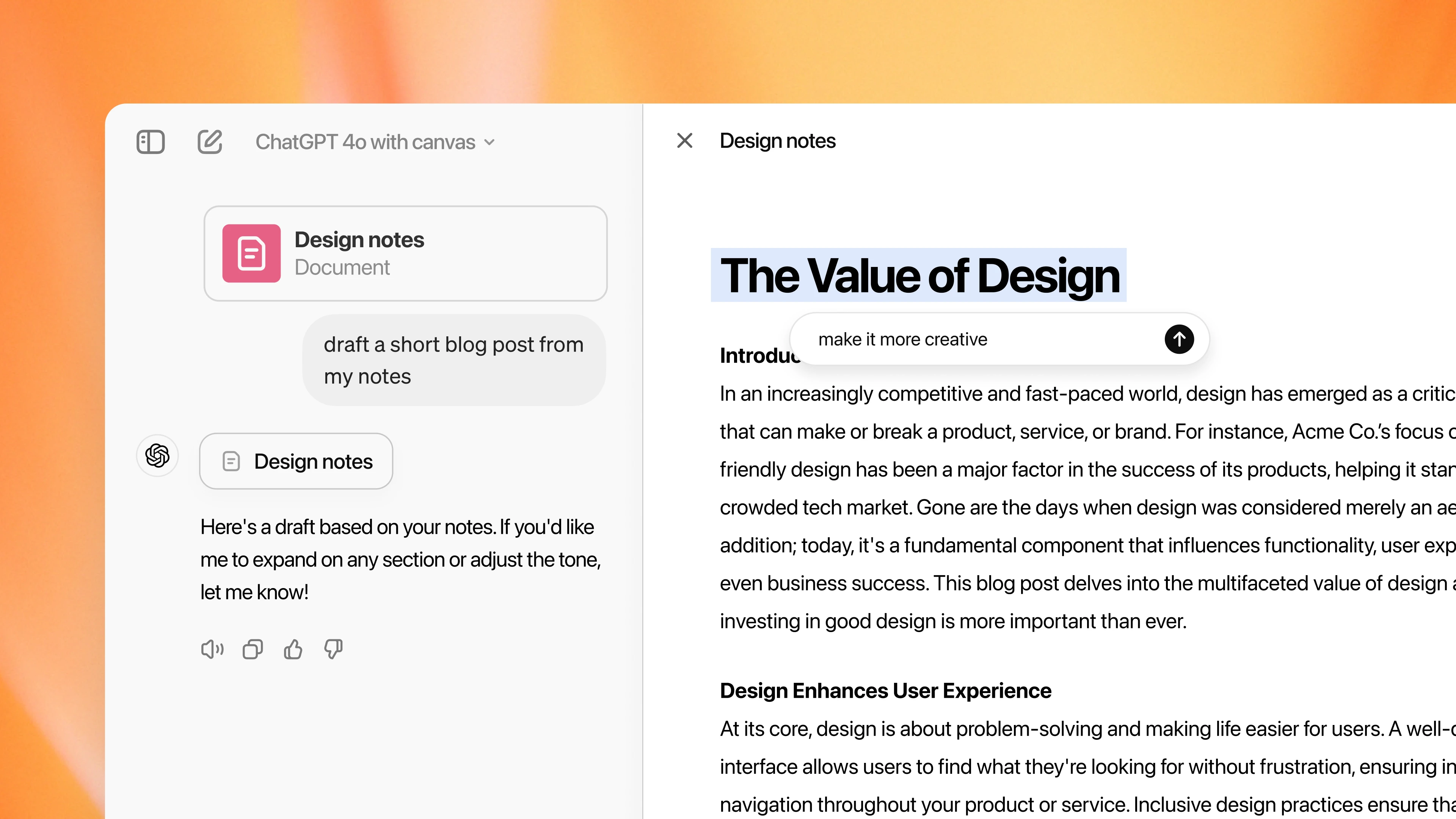
Work better with Canvas
With canvas, ZeroTwo can better understand the context of what you're trying to accomplish. You can highlight specific sections to indicate exactly what you want ZeroTwo to focus on. Like a copy editor or code reviewer, it can give inline feedback and suggestions with the entire project in mind.
You control the project in canvas. You can directly edit text or code. There's a menu of shortcuts for you to ask ZeroTwo to adjust writing length, debug your code, and quickly perform other useful actions. You can also restore previous versions of your work by using the back button in canvas.
Canvas opens automatically when ZeroTwo detects a scenario in which it could be helpful. You can also include "use canvas" in your prompt to open canvas and use it to work on an existing project.
Canvas makes your ideas come to life
Visualize complex ideas
Transform abstract concepts into clear visual representations that help you and your team understand and communicate ideas better.
Organize information visually
Arrange notes, documents, and concepts in a spatial layout that makes sense to you, making it easier to find and connect related information.
Collaborate in real-time
Work together with your team on the same canvas, seeing changes as they happen and building on each other's ideas.
Plan projects visually
Map out project timelines, workflows, and dependencies in a visual format that helps you see the big picture and identify potential issues.
Brainstorm and ideate
Use the infinite canvas to freely explore ideas, make connections, and develop concepts without the constraints of traditional documents.
Connect related concepts
Link ideas, documents, and notes together to create a knowledge graph that shows how different pieces of information relate to each other.
Frequently asked questions
Canvas is an infinite workspace feature that allows you to visualize, organize, and collaborate on ideas and projects in a flexible, visual format.
Explore more
- Chat with PDFs
Upload your PDFs to ZeroTwo and get help analyzing and summarizing big documents, so you can get the information you need quickly.
- Chat with spreadsheets
Learn how you can use ZeroTwo to chat with your spreadsheets to understand data faster, fix formulas confidently, and turn raw numbers into clear insights and templates.
- Connectors
Connect ZeroTwo to everyday tools like Google Drive, SharePoint, Microsoft Teams, Notion, and GitHub to personalize its responses to your work and life.