Organize Work into Projects in ZeroTwo

Reed Vogt
CRO
ZeroTwo Projects: Smart Workspaces for Long-Running Efforts
Note: Projects are currently available to ZeroTwo Plus, Pro, Team, Enterprise and Edu plans worldwide.
Overview
Projects are smart workspaces that keep everything related to a long‑running effort in one place. Group together chats, upload reference files, and add custom instructions so ZeroTwo remembers what matters and stays on‑topic. With memory, context, and flexible tools, they're ideal for repeated and evolving work such as writing, research, planning, and more.
What's New in Projects
- Deep research – Run in-depth, multi-step research that blends your project context (chats, files, instructions) with public web sources
- Voice mode – Talk through ideas hands‑free or ask questions about an uploaded file by tapping the microphone in any project chat
- Share individual chats – Create a unique URL to share a chat from a project
- Mobile upgrades – Upload files and switch models directly from the ZeroTwo app
- Improved project memory – Memory can reference past chats in a project to keep responses focused and on-topic
- Seamless project creation – Turn any chat into a project from the sidebar menu or just drag a chat into the project folder
Getting Started with Projects
Creating a Project
Click New project in the sidebar and give it a clear, goal‑oriented name like "Wedding Planning" or "Mobile‑App Redesign."
Add Context or Files
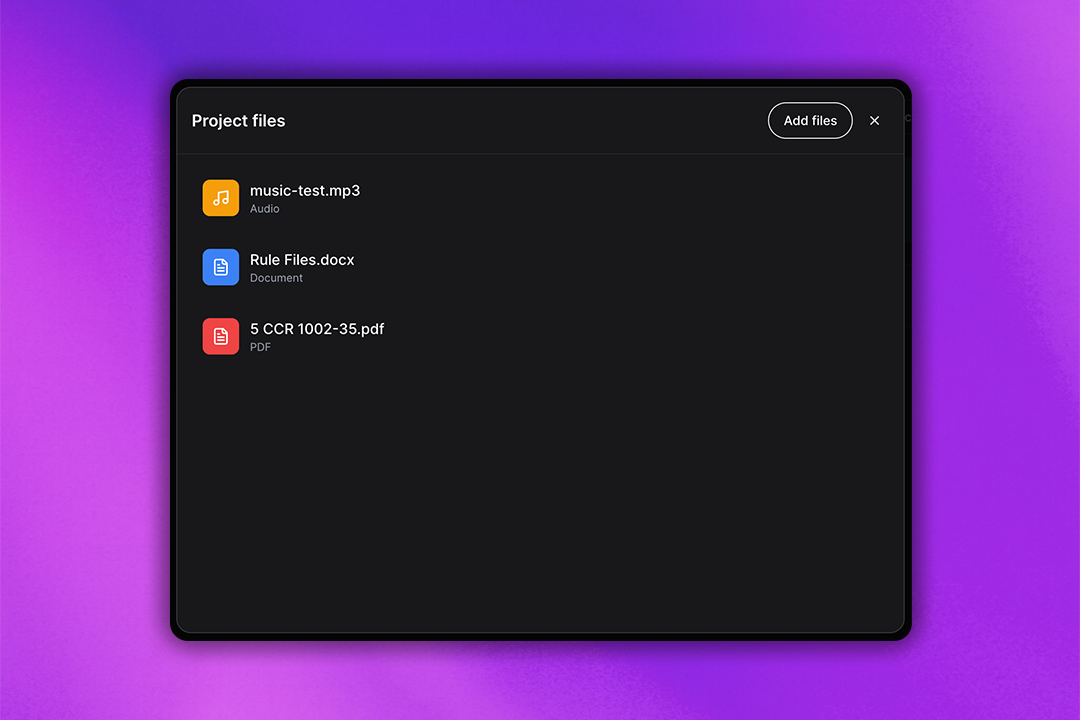
Upload PDFs, spreadsheets, or images in Files, and add project instructions to guide tone or role (e.g., "Act like my marketing mentor"). Instructions set in your project will not interact with any chats outside of your project, and will supersede custom instructions set in your ZeroTwo account.
Moving Existing Chats into a Project
From the chat list in the left sidebar, drag any chat onto your desired project, or onto New project to create a new project. You can also click on the chat's menu and select Move to project or Create New Project.
Once you move the chat into the project, the chat can now continue in the context of the project. This means that any Custom Instructions and files in your project will impact responses from ZeroTwo for that chat.
You can remove a chat from your project by clicking on the chat's menu and selecting Remove, or by dragging it out of the project.
Project Tools and Features
Use your favorite ZeroTwo tools right inside of a project:
Deep Research
Construct comprehensive reports with full context from your project files and instructions.
Image Generation
Create visuals that jump-start design thinking, all stored within your project context.
Voice Mode
Enable quick back‑and‑forth or hands-free Q&A while maintaining project context.
Canvas
Draft docs, code, or layouts when you need more than chat, with full access to project resources.
Share
Create a unique URL to share a chat from a project. Note that this link grants access solely to the respective chat; no other project chat, files, custom instructions, and history are shared.
Project Management
Deleting Projects
You can delete your project by selecting the dots next to your project name and selecting Delete project. This will delete your files, chats, and custom instructions in the project. Once they are deleted, they cannot be recovered.
File Limits
Users can create unlimited projects with the following file limits:
- Plus users: Up to 20 files per project
- Pro, Team, Education and Enterprise users: Up to 40 files per project
All uploads are subject to rate limits, and only 10 files can be uploaded at the same time.
Memory in Projects
If memory for your account is enabled, it remains active across all chats, including chats in your projects.
For Plus and Pro users: In addition to saved memories, ZeroTwo can reference previous chats within a project to deliver more relevant, focused responses. When you ask a question in a project, ZeroTwo prioritizes the project chats and files.
Note: Both settings Reference saved memories and Reference chat history must be enabled in settings in order to reference past chats in projects.
Best Practices for Projects
Project Organization
- Use descriptive names - Make project names specific and goal-oriented
- Add clear instructions - Set the tone and context from the beginning
- Upload relevant files - Provide comprehensive reference materials
- Organize by theme - Keep related work together
Collaboration Tips
- Share strategically - Use chat sharing for specific discussions
- Maintain context - Keep project instructions updated as goals evolve
- Use memory effectively - Enable both saved memories and chat history
- Regular cleanup - Remove outdated files and chats periodically
Workflow Optimization
- Start with planning - Use Deep Research to set project foundation
- Iterate with Canvas - Draft and refine documents collaboratively
- Leverage voice mode - Use hands-free interaction for brainstorming
- Document progress - Keep important decisions and insights in project chats
Security and Privacy
Projects inherit all toggles and restrictions that apply to your Team, Enterprise, or Edu workspace:
- Tool availability – If Deep Research, Voice Mode, or any other feature is disabled at the workspace level, it is automatically disabled inside every Project
- Data controls – Retention windows, data-residency locations, and memory settings continue to apply without extra configuration
- Security – Projects use the same encryption, access controls, and audit logging as standard chats
Data Retention & Residency
All messages created in a project inherit the retention duration and residency region configured for your workspace. No separate retention policy is required, and deleted projects and their chats, files, and custom instructions are removed from our systems within 30 days unless required to retain them for legal or security reasons.
ZeroTwo Projects revolutionize how you organize and manage complex, long-term work by providing intelligent context, powerful tools, and seamless collaboration in dedicated workspaces.
Related Articles

Introducing ZeroTwo Realtime: Revolutionary Voice Conversations with AI
Experience the future of AI interaction with ZeroTwo's new realtime voice feature. From OpenAI's GPT-4o Realtime to ElevenLabs' expressive voices, discover how to have natural conversations with AI using advanced models, web search capabilities, and intuitive voice selection.

Introducing YouTube Analyzer: Extract, Analyze, and Transform Video Content with AI
ZeroTwo's new YouTube Analyzer tool revolutionizes video content analysis by extracting metadata, transcripts, and comments in seconds. Transform any YouTube video into structured XML data for research, content creation, and AI training.