
A marketing manager in Denver built a customer support chatbot last month. It handles 73% of incoming tickets, speaks three languages, and took exactly zero lines of code to create. Her total build time? One afternoon.
Three years ago, that project would have required a developer, an API budget, and at least six weeks. Today, no-code AI platforms have collapsed that timeline to hours — and the tools keep getting more powerful.
The no-code AI market hit $16.4 billion in 2025 and is projected to reach $65 billion by 2030. That growth isn't driven by enterprise teams with unlimited budgets. It's driven by marketers, operations managers, founders, and freelancers who need AI applications but don't have engineering teams to build them.
This guide covers exactly how to build AI apps with no code — from chatbot builders and workflow automation to full AI-powered products — along with the platforms, strategies, and limitations you need to know before you start.
Key Takeaways
- You don't need to code to build AI apps. No-code platforms now support chatbots, workflow automations, content generators, and data analysis tools — all through visual interfaces.
- The best no-code AI tools combine pre-built components with frontier model access. Look for platforms that let you use GPT-4, Claude, and Gemini without managing API keys.
- Start with one specific use case, not a grand vision. A focused chatbot or automated workflow delivers faster ROI than trying to build a full product on day one.
- No-code doesn't mean no limits. Complex logic, custom integrations, and high-volume processing still require technical skills or hybrid approaches.
- Cost consolidation matters. Stacking separate AI subscriptions adds up fast — platforms that bundle model access save both money and complexity.
What Is No-Code AI?
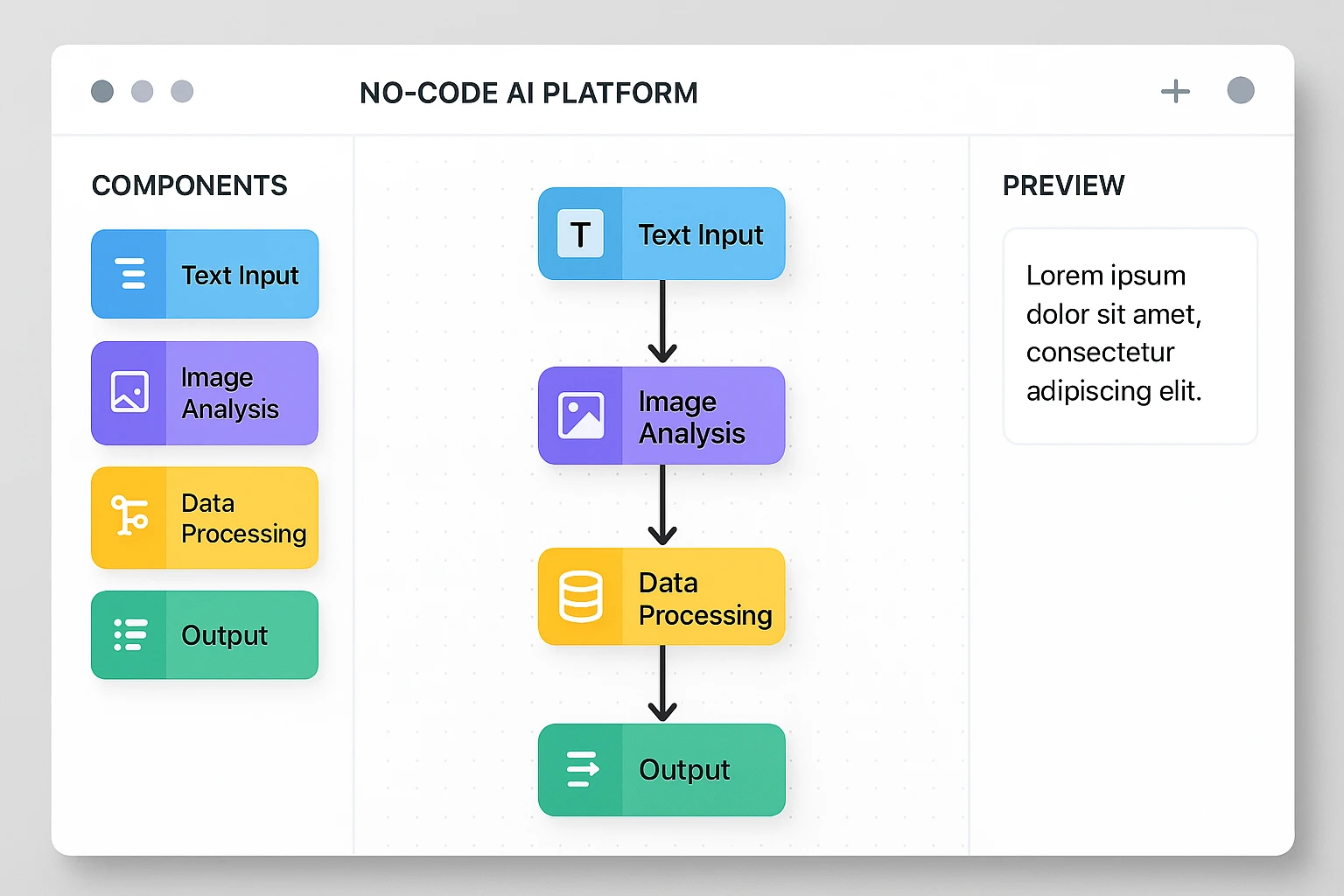
No-code AI refers to platforms and tools that let you build artificial intelligence applications — chatbots, automations, content generators, data analyzers — without writing any programming code. Instead of Python scripts and API calls, you use visual builders, drag-and-drop interfaces, and pre-configured templates.
No-code AI falls into four main categories:
- Chatbot and assistant builders — Create conversational AI agents that answer questions, handle support, or guide users through processes
- Workflow automation platforms — Connect AI models to your existing tools (email, CRM, spreadsheets) with trigger-based logic
- Content and media generators — Build AI-powered content pipelines for text, images, and video
- Data analysis and reporting tools — Use AI to process, analyze, and visualize data without writing queries
The common thread: you're building real AI-powered functionality using interfaces designed for people who think in workflows, not in code.
How to Build AI Apps Without Coding: 5 Approaches
1. AI Chatbot Builders
Chatbots are the most accessible entry point for no-code AI. Modern chatbot platforms let you create conversational agents that pull from your own documents, follow custom instructions, and integrate with your existing tools.
What you can build:
- Customer support bots trained on your knowledge base
- Internal FAQ assistants for employee onboarding
- Lead qualification bots for sales teams
- Appointment scheduling assistants
- Product recommendation engines
Top no-code chatbot platforms:
| Platform | Best For | AI Models Available | Starting Price |
|---|---|---|---|
| Chatbase | Knowledge-base bots | GPT-4, Claude | $19/mo |
| Botpress | Complex conversation flows | GPT-4, Claude | Free tier |
| Voiceflow | Voice + chat assistants | Multiple | $50/mo |
| Dante AI | Multilingual support bots | GPT-4 | $29/mo |
| Stack AI | Enterprise workflows | Multiple | $199/mo |
Getting started: Pick one platform, upload your FAQ document or knowledge base, customize the system prompt, and embed the chatbot on your website. Most platforms generate an embed code you can paste into any site builder.
2. Workflow Automation with AI
Workflow automation tools like Zapier, Make, and n8n now include AI steps as native building blocks. This means you can insert "ask AI to analyze this," "generate a summary," or "classify this email" directly into your automated workflows.
High-impact AI automation examples:
| Workflow | Trigger | AI Step | Output |
|---|---|---|---|
| Lead scoring | New form submission | Analyze lead quality | Priority score + routing |
| Content repurposing | New blog post published | Summarize + adapt for social | 5 social media posts |
| Invoice processing | Email attachment received | Extract line items | Spreadsheet row |
| Customer feedback | New review posted | Sentiment analysis + categorize | Tagged CRM entry |
| Meeting follow-up | Calendar event ends | Summarize transcript | Action items email |
The key advantage: You're not building from scratch. You're adding AI intelligence to processes that already exist in your business.
3. AI-Powered App Builders
A newer category of tools lets you build complete applications — with databases, user interfaces, and AI features — entirely through visual interfaces.
Notable platforms:
- Softr — Build AI-powered apps on top of Airtable data
- Glide — Turn spreadsheets into mobile apps with AI features
- Bubble — Full web app builder with AI plugin ecosystem
- FlutterFlow — Mobile app builder with AI integrations
These platforms handle authentication, databases, and deployment. You focus on the business logic and AI features.
What you can actually build:
- Internal tools that use AI to process documents
- Client portals with AI-powered search
- Inventory management with predictive restocking
- Project management tools with AI task prioritization
4. AI Agent Platforms
AI agents go beyond simple chatbots. They can browse the web, execute multi-step tasks, use tools, and make decisions based on context. Several no-code platforms now let you build agents without writing code.
What makes agents different from chatbots:
| Feature | Chatbot | AI Agent |
|---|---|---|
| Conversation | Yes | Yes |
| Tool usage | Limited | Extensive |
| Multi-step tasks | No | Yes |
| Web browsing | No | Yes |
| Decision making | Scripted | Dynamic |
| Memory across sessions | Limited | Persistent |
Platforms like ZeroTwo give you access to multiple frontier models — Claude, GPT-4, Gemini — through a single interface, which means you can test different models for your agent without managing separate API keys or subscriptions. This is particularly useful when you're prototyping: some models handle reasoning tasks better, while others excel at creative generation or code analysis.
5. Direct AI Platform Usage
Sometimes you don't need a dedicated builder at all. Modern AI platforms are powerful enough to serve as lightweight app replacements for many use cases.
What direct AI platforms handle well:
- Document analysis and summarization
- Data extraction from unstructured text
- Content generation with brand voice consistency
- Research and competitive analysis
- Translation and localization
- Code generation for simple scripts and formulas
For teams that need access to multiple AI models without the cost of stacking subscriptions, consolidated platforms eliminate the subscription sprawl problem. Instead of paying $20/month each for ChatGPT Plus, Claude Pro, and Perplexity — totaling $60+ before you've built anything — a single platform with multi-model access keeps costs predictable and workflows centralized.
Choosing the Right No-Code AI Approach
The right approach depends on what you're building and who's using it.
Use this decision framework:
- "I need a chatbot on my website" → Chatbot builder (Chatbase, Botpress)
- "I need AI inside my existing workflow" → Automation platform (Zapier, Make, n8n)
- "I need a full app with AI features" → App builder (Bubble, Softr, Glide)
- "I need an AI agent that takes actions" → Agent platform or custom setup
- "I need to analyze data or generate content" → Direct AI platform access
What to Look For in a No-Code AI Platform
Not all platforms are equal. Here's what separates the useful ones from the frustrating ones:
Must-haves:
- Access to current-generation AI models (not just GPT-3.5)
- Ability to upload and process your own data
- Integration with your existing tools (CRM, email, spreadsheets)
- Reasonable usage limits that won't surprise you with bills
- Export options so you're not locked in
Nice-to-haves:
- Multiple model access (so you can compare outputs)
- Web search capability built in
- Team collaboration features
- API access for when you eventually need customization
- Template library for common use cases
Real-World No-Code AI Use Cases
Small Business: Automated Customer Support
Setup time: 2-3 hours Tools used: Chatbase + website embed Result: 60-70% of support tickets handled automatically
Upload your FAQ, product documentation, and return policy. Configure the chatbot's tone and escalation rules. Embed on your site. The bot handles routine questions while flagging complex issues for your team.
Marketing Team: Content Pipeline
Setup time: 1-2 hours Tools used: Zapier + AI step + scheduling tool Result: 5x content output with same team size
New blog post triggers automatic generation of social media variations, email newsletter summaries, and SEO meta descriptions. Human review takes 10 minutes instead of 2 hours of writing.
Freelancer: Client Proposal Generator
Setup time: 30 minutes Tools used: Direct AI platform with uploaded templates Result: Proposals generated in 5 minutes instead of 45
Upload your past proposals as reference material. For each new opportunity, provide the client brief and let AI generate a customized proposal matching your format, tone, and pricing structure.
Operations: Invoice Processing
Setup time: 1-2 hours Tools used: Make + AI document analysis + spreadsheet Result: 90% reduction in manual data entry
Invoices arrive via email, get processed by AI to extract vendor, amount, line items, and due date, then populate a spreadsheet automatically. Human reviews the output instead of doing the entry.
Limitations of No-Code AI (Be Honest About These)
No-code AI is powerful, but it's not magic. Understanding the boundaries saves you from wasted time and frustrated expectations.
Where no-code falls short:
- Complex logic and branching — If your workflow has 15 conditional paths, visual builders become harder to manage than code
- High-volume processing — Processing 10,000 documents per day typically requires custom infrastructure
- Real-time applications — Chatbots work, but real-time data processing at scale needs engineering
- Deep customization — You're limited to what the platform supports. Unique requirements may hit walls
- Data privacy requirements — Some regulated industries need infrastructure control that no-code platforms can't provide
The hybrid approach works best: Start no-code to validate your idea and prove the value. If you hit limits, you'll know exactly what you need from a developer — and you'll have a working prototype to show them.
How to Get Started Today
Building your first no-code AI app doesn't require a plan. It requires a single use case and 30 minutes.
Step 1: Identify one repetitive task that involves text, data, or communication. Customer emails, content creation, data entry, document review — pick the one that eats the most time.
Step 2: Choose the simplest tool for that task. Don't over-engineer it. A chatbot builder for support questions. An automation platform for workflow steps. A direct AI platform for content or analysis.
Step 3: Build the minimum version. Upload your data, configure the basics, and test it with real inputs. Don't try to handle every edge case on day one.
Step 4: Measure the result. Track time saved, output quality, and user satisfaction. These numbers justify expanding to more use cases.
Step 5: Iterate and expand. Once one workflow proves its value, apply the same approach to the next bottleneck.
If you're looking for a starting point that doesn't lock you into a single model or break the budget, ZeroTwo offers multi-model access with web search built in — a solid foundation for testing different AI approaches before committing to specialized tools.
The Bottom Line
The barrier to building AI applications has dropped from "hire a development team" to "spend an afternoon learning a platform." That shift isn't slowing down.
No-code AI won't replace custom development for complex, scaled systems. But for the 80% of use cases that involve chatbots, workflow automation, content generation, and data processing, you can build functional AI applications today without writing a single line of code.
The companies and professionals who move fastest aren't waiting for perfect tools. They're shipping imperfect AI apps, learning from real usage, and iterating. The best time to start building was six months ago. The second best time is this afternoon.
Questions about building no-code AI apps? Drop them in the comments — practical questions get detailed answers.