Room redesign concepts

AI interior design: from a photo of your room to a redesign concept

Upload a photo, write what must stay and what should change, and compare concepts from different image models. Then check every render against the real room before you act on it.

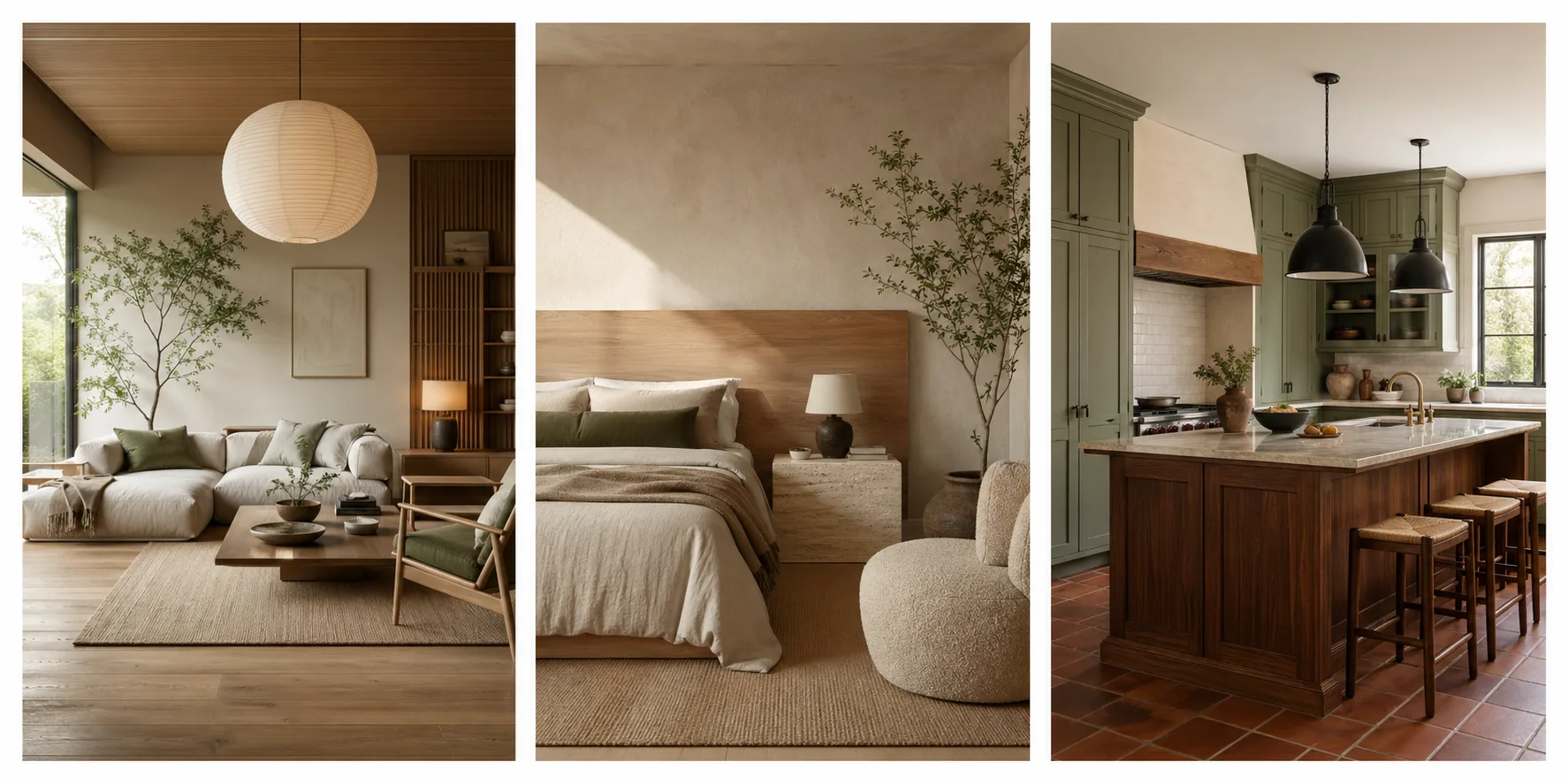
Three AI-generated interior redesign concepts side by side: a Japandi living room with a paper pendant, a warm minimalist bedroom with an oak headboard, and a modern farmhouse kitchen with sage cabinets
AI-generated concepts made with ZeroTwo's image tools. They show the style of output only: they are not paired with source photos, so they say nothing about how well a model keeps a real room's layout.

A render is a concept, not a drawing

It is not a substitute for measured drawings, structural assessments, or code-compliant electrical and plumbing plans. Nothing on this page claims a render is dimensionally accurate. Use it to decide what you want, then have a professional measure and specify it.

Check each render against the real room

Models are good at looking right and loose about being right. Hold the render up to your original photo, one row at a time. If you are starting from a drawing, you can turn a room sketch into a concept rendering and run the same check.

Constraint check: what to compare between a render and the original room photo, and what to tell the model if it changed.
What to checkCompare with the photoIf it changed
Windows and doorsCount, position and rough size against your photo. Does a door still open into free space?Name each one in the brief and say it must not move.
Ceiling and room shapeCeiling height, beams, sloped sections, alcoves and corner angles.Add the instruction to keep ceiling height and room shape unchanged.
Fixed featuresRadiators, fireplace, stairs, built-ins, vents, sockets and switches that cannot move cheaply.List them as non-negotiables and regenerate if one vanishes or relocates.
Walking spaceCan you walk from the door to the window? Is there room around the bed, sofa or island?Ask for fewer or smaller pieces, then confirm clearances with a tape measure.
ScaleCompare furniture height with door height and counter height with the sink or hob.Describe furniture by real size, such as a two-seat sofa, rather than by style alone.
Light directionDoes daylight come from the same side as your real windows?State which wall the window is on.

This is a checklist for you to run, not a record of test results. Keep a short note of everything that came out wrong; it goes into the concept brief below.

Run three style directions on the same room

Change one variable at a time. Each prompt below ends with the same fixed-features line, so the room stays put while the style moves.

Japandi

  • #E9E2D0
  • #A8B5A0
  • #3F4A3A

Warm oak, soft linen, low furniture. Calm and deliberate.

Redesign this living room in Japandi style: pale oak floor, low linen sofa, paper pendant, sage accents, morning light. Keep the window, door, ceiling height and room shape exactly as in the photo.

Warm minimalism

  • #F5EFE3
  • #D9C7A7
  • #5C4A36

Cream plaster walls, travertine, one piece of art, no clutter.

Redesign this bedroom in warm minimalism: cream plaster walls, travertine nightstand, beige bouclé chair, wide oak headboard. Keep the window, door, ceiling height and room shape exactly as in the photo.

Modern farmhouse

  • #EFEAE0
  • #7E6B53
  • #2A2620

Shaker cabinetry, blackened steel, walnut counters, vintage rugs.

Redesign this kitchen as a modern farmhouse: shaker cabinets in sage, walnut island, blackened steel pendants, terracotta tile. Keep the window, door, ceiling height and room shape exactly as in the photo.

Mediterranean revival

  • #F1E6D2
  • #C58A5C
  • #3B2A1E

Limewashed walls, arched openings, terracotta, brass.

Redesign this dining room as Mediterranean revival: limewashed walls, arched mirror, terracotta floor, brass sconces. Keep the window, door, ceiling height and room shape exactly as in the photo.
Five steps, with a check built in

  1. Photograph the room

    One straight-on shot per wall, at chest height, in daylight, without filters. Keep the camera level so vertical lines stay vertical.

  2. List what cannot change

    Write the fixed features from the check above, then the style, palette and mood. The fixed list goes first in every prompt.

  3. Generate three variants

    Run the same brief on two or three image models. ZeroTwo lists Flux Pro, Imagen 4 and GPT Image among its image models. Compare each result with the constraint check, not just with your taste.

  4. Edit in plain English

    Ask for one change at a time, such as swapping the rug or lightening the walls, and re-check the fixed features after every round.

  5. Write the concept brief

    Collect the original photo, the render you chose, the changes you want and the open questions, in the format below.

Hand over a concept brief, not a promise

A contractor can use a good brief to ask better questions. They cannot build from a picture, and the brief should say so.

  • The original photo or photos, untouched
  • The fixed features from your constraint check
  • The chosen render and up to two alternatives
  • Finishes and furniture you want, as references rather than specifications
  • What the render got wrong, so nobody builds it by mistake
  • Questions for the contractor or designer to measure and confirm

Template, fill in your own

Concept brief: [room name]

Original photos
[attach]
Fixed features
[windows, doors, ceiling, fixtures]
Chosen render
[image, model, prompt]
Known errors in the render
[what came out wrong]
To measure and confirm
[dimensions, structure, services]

Concept only. Dimensions, structure and services to be confirmed on site.

Where AI stops and a professional starts

The tool is good at the first stage. It does not replace the later ones.

  • You, with ZeroTwo

    Explore directions, test palettes, settle on a look and write the brief.

  • A designer

    Turn the direction into a specification: sourcing, layouts, and what actually fits.

  • A contractor or engineer

    Measured drawings, structural assessment, and code-compliant electrical and plumbing plans.

What trying it costs

Start on the Free plan with one room. Image runs on paid plans draw from your monthly credits.

Free
$0/mo
Limited image generations and one file upload per message. No card required.
Plus
$14.99/mo
Image generation included, with multiple file uploads per task and 1,650 monthly credits.
Pro
$29.99/mo
3,500 monthly credits. $26.99/month billed annually.

See the pricing page for the full plan list.

Questions before you redesign a room

What is AI interior design?

It means using an image model to redesign a room from a photo and a written brief. You describe the style and what must stay, and the model returns a render with new furniture, finishes and lighting. It produces a visual concept, not a drawing, and how closely it keeps your room's real layout varies by model and prompt.

Will the render match my actual room?

Not automatically. Models can move a window, change a door or alter the ceiling. That is why this page gives you a constraint check: compare every render with your original photo for windows, doors, fixed features, walking space, scale and light before you trust it.

Is there a free way to try it?

Yes. ZeroTwo's Free plan costs $0, needs no card, and includes limited image generations with one file upload per message. Plus is $14.99/month and Pro is $29.99/month. Image runs draw from monthly credits on paid plans.

Can I use a render for a renovation?

Use it for mood, direction and conversations with a designer or contractor. It is not a substitute for measured drawings, structural assessments, or code-compliant electrical and plumbing plans. Treat the render as a concept that a professional translates into something buildable.

Which image model should I use?

Try more than one on the same brief. ZeroTwo lists Flux Pro, Imagen 4 and GPT Image among its image models, and the model picker shows what is available now. We do not rank them for rooms: the one that keeps your windows and doors in place and looks right to you is the one to use.

Can I start from a sketch instead of a photo?

Yes. If you only have a hand-drawn layout or a sketch, the sketch-to-photo converter turns it into a concept rendering. Treat the proportions as approximate and confirm real dimensions on site.

Prefer to talk it through first? Open the AI chat and describe the room.

Start with one room, one photo and a list of what cannot change

Try it with a room photo